Blog

  • How to Reduce Video File Size for On Demand by IPSTUDIO™

    How to Reduce Video File Size for On Demand by IPSTUDIO™

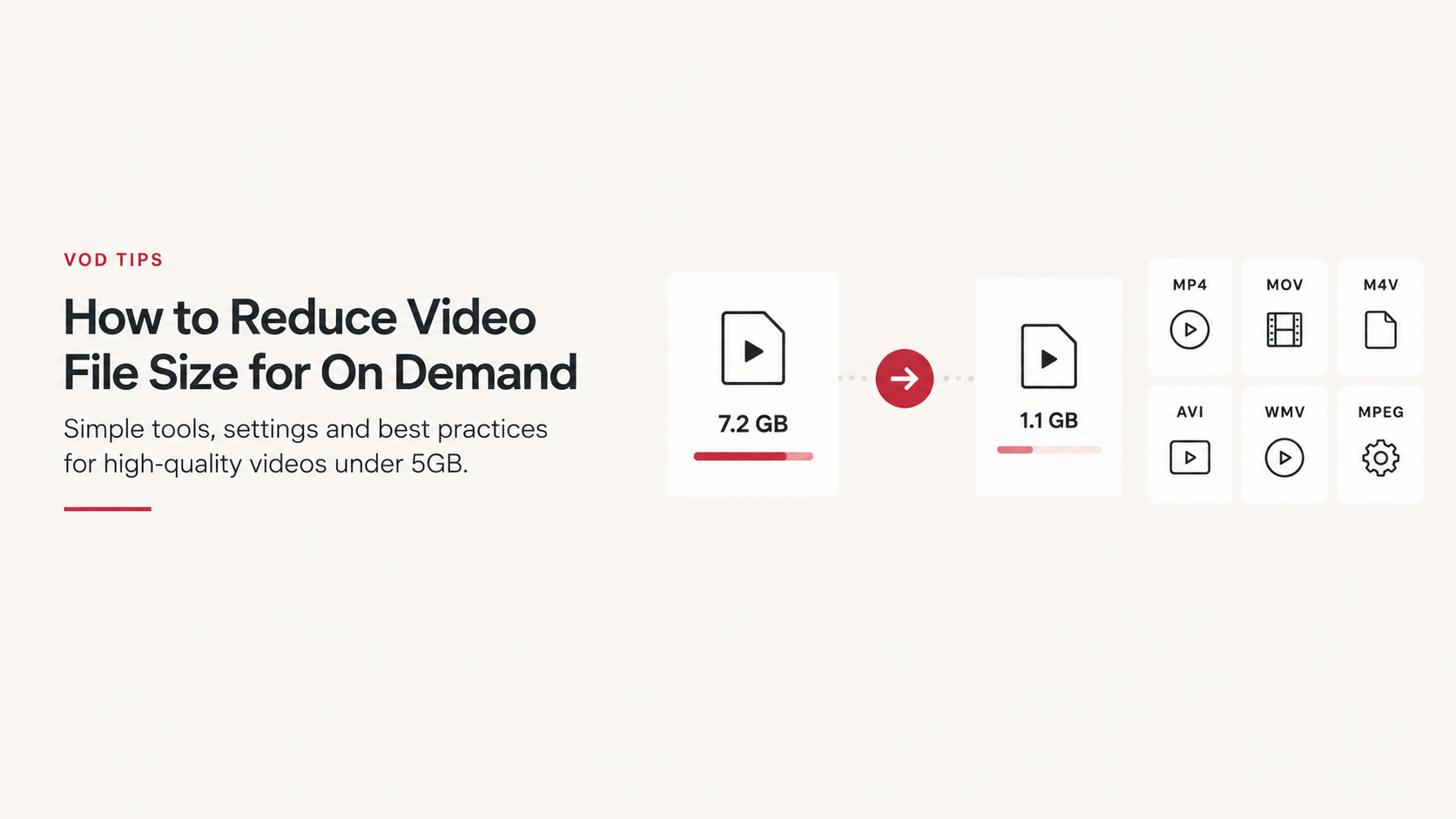
    When uploading videos to On Demand by IPSTUDIO™, each individual video file must be 5GB or smaller.

    If your video exceeds 5GB, don’t worry, you usually don’t need to re-record it. Reducing the resolution, bitrate, or using a more efficient video codec can significantly reduce the file size while maintaining excellent quality for streaming.

    This guide covers our recommended video settings, supported file formats, and several ways to reduce large video files before uploading.

    Recommended Video Settings

    For most fitness and on-demand video content, we recommend recording and exporting at:

    • Resolution: 1080p (1920 × 1080)
    • Frame rate: 30 FPS
    • Video codec: H.264
    • Audio codec: AAC
    • Preferred format: MP4
    • Maximum individual file size: 5GB

    1080p provides excellent quality for streaming without the much larger files created by 4K recording.

    If your camera or phone is currently recording in 4K or 60 FPS, changing the recording settings to 1080p at 30 FPS can substantially reduce the size of future recordings.

    Supported Video Formats

    On Demand by IPSTUDIO™ accepts most major standard video formats, including:

    • MP4
    • MOV / QuickTime
    • M4V
    • AVI
    • WMV
    • MPG / MPEG

    Other standard video formats and codecs may also be accepted. For the most consistent results, however, we recommend uploading an MP4 or MOV file encoded using H.264 video and AAC audio.

    H.264 is particularly well suited to web video because it provides a strong balance between visual quality, file size, compatibility, and processing time.

    Why Is My Video File So Large?

    Video file size is primarily determined by four things:

    Resolution: A 4K video contains approximately four times as many pixels as a 1080p video, which can result in substantially larger files.

    Frame rate: Recording at 60 FPS captures twice as many frames per second as 30 FPS. For most studio classes and fitness content, 30 FPS provides smooth playback without the additional file size of 60 FPS.

    Bitrate: Bitrate determines how much video data is stored for each second of footage. Higher bitrates generally mean higher quality—but also larger files.

    Codec: The codec determines how the video is compressed. Modern codecs such as H.264 and H.265/HEVC can dramatically reduce file size compared with lightly compressed or production-quality formats.

    Professional recording formats such as Apple ProRes can create particularly large files and generally should be converted to a streaming-friendly format before uploading.

    Option 1: Reduce File Size with HandBrake

    HandBrake is a free, open-source video compression tool available for Mac and Windows. It is our recommended option when you need more control over video compression.

    Recommended HandBrake Settings

    1. Open your video in HandBrake.
    2. Select the Fast 1080p30 preset as a starting point.
    3. Set the format to MP4.
    4. Set the resolution to 1920 × 1080.
    5. Select H.264 (x264) as the video encoder.
    6. Use 30 FPS or match the original frame rate if it is already 30 FPS or lower.
    7. Use a constant frame rate.
    8. Keep the audio encoded as AAC.
    9. Choose where you want the new file saved.
    10. Select Start Encode.

    Once processing is complete, check the new file size before uploading it to On Demand by IPSTUDIO™.

    Need an Even Smaller File?

    If the resulting file is still larger than 5GB, you have several options.

    First, increase HandBrake’s RF (Constant Quality) value slightly. A higher RF value creates a smaller file, although increasing it too far will reduce visual quality.

    You can also try H.265/HEVC, which can provide comparable visual quality at a smaller file size than H.264. H.265 generally takes longer to encode, however, and H.264 remains our preferred option when broad compatibility is the priority.

    Another option is reducing the video’s bitrate. For typical 1080p streaming video, you generally do not need the extremely high bitrates generated by cameras or production-quality exports.

    Option 2: Reduce File Size with QuickTime on Mac

    Mac users can also use QuickTime Player for a simple conversion.

    1. Open the video in QuickTime Player.
    2. Select File → Export As → 1080p.
    3. If available, choose either:
      • Greater Compatibility for H.264, or
      • Smaller File Size for HEVC/H.265.
    4. Choose a destination and save the new file.
    5. Check the resulting file size before uploading.

    QuickTime exports video as a .MOV file rather than an MP4, which is fine for upload.

    For most users, exporting a large 4K recording as 1080p is one of the easiest ways to dramatically reduce its size.

    Option 3: Re-Export from Your Video Editor

    If the video was edited in software such as Adobe Premiere Pro, Final Cut Pro, DaVinci Resolve, or iMovie, it is generally better to create a smaller export directly from the original project rather than compressing an already exported video.

    Look for settings similar to:

    Format: MP4
    Codec: H.264
    Resolution: 1920 × 1080
    Frame rate: 30 FPS or source frame rate
    Audio: AAC
    Scan: Progressive

    If your software offers variable bitrate (VBR), it can help allocate more data to complex scenes and less data to simple scenes, improving compression efficiency.

    Should I Upload 4K Video?

    For On Demand by IPSTUDIO™ content, 1080p is recommended.

    Unless you have a specific production requirement for 4K, recording directly in 1080p at 30 FPS simplifies your publishing workflow and helps prevent files from exceeding the 5GB upload limit.

    Tips for Keeping Future Videos Under 5GB

    The easiest way to deal with oversized files is to prevent them from becoming oversized in the first place.

    Before recording your next class:

    • Set your camera or phone to 1080p instead of 4K.
    • Use 30 FPS instead of 60 FPS unless higher frame rates are specifically needed.
    • Avoid recording in ProRes or other professional high-bitrate formats unless you plan to edit and compress the footage afterward.
    • Export finished videos using H.264 for a good balance of quality and file size.
    • Keep audio encoded as AAC.
    • Avoid repeatedly exporting and recompressing the same file, as each lossy re-encode can reduce quality.
    • Keep your original high-quality recording separately if you want to retain a master copy.

    What If My Video Is Still Over 5GB?

    If your finished video remains over the 5GB individual file limit, try the following in order:

    1. Export or convert the video to 1080p.
    2. Convert the video to H.264 MP4.
    3. Reduce the bitrate or increase the HandBrake RF value slightly.
    4. Use H.265/HEVC if additional compression is necessary.
    5. For unusually long recordings, consider dividing the content into multiple videos where appropriate.

    The goal isn’t to create the smallest possible file. It’s to find a good balance between video quality, upload size, processing time, and streaming performance.

    Our Recommended Setup

    For the majority of studios using On Demand by IPSTUDIO™, we recommend keeping things simple:

    Record: 1080p / 30 FPS
    Export: MP4 / H.264 / AAC
    Maximum file size: 5GB per video

    These settings provide high-quality video while keeping files manageable for uploading, processing, and streaming through On Demand by IPSTUDIO™.
  • Building Member Retention Through Weekly Content Releases

    Building Member Retention Through Weekly Content Releases

    Your on-demand library shouldn’t just attract members at launch. It should give them a reason to keep coming back.

    Retention is one of the most important metrics in boutique fitness.

    Studios spend significant time and money acquiring members, but long-term growth depends on keeping those members engaged.

    On-demand fitness can support that goal, particularly when studios treat content as an ongoing experience rather than a one-time library.

    The Problem With the Static Video Library

    A studio launches on-demand with 30 or 50 workouts.

    Members explore it.

    Then nothing changes.

    Over time, even a strong library can start to feel stale.

    Streaming platforms have conditioned consumers to expect new content. Fitness doesn’t need to match the volume of major entertainment platforms, but the same principle applies:

    New content creates a reason to return.

    Consistency Beats Volume

    You don’t necessarily need to publish five workouts every week.

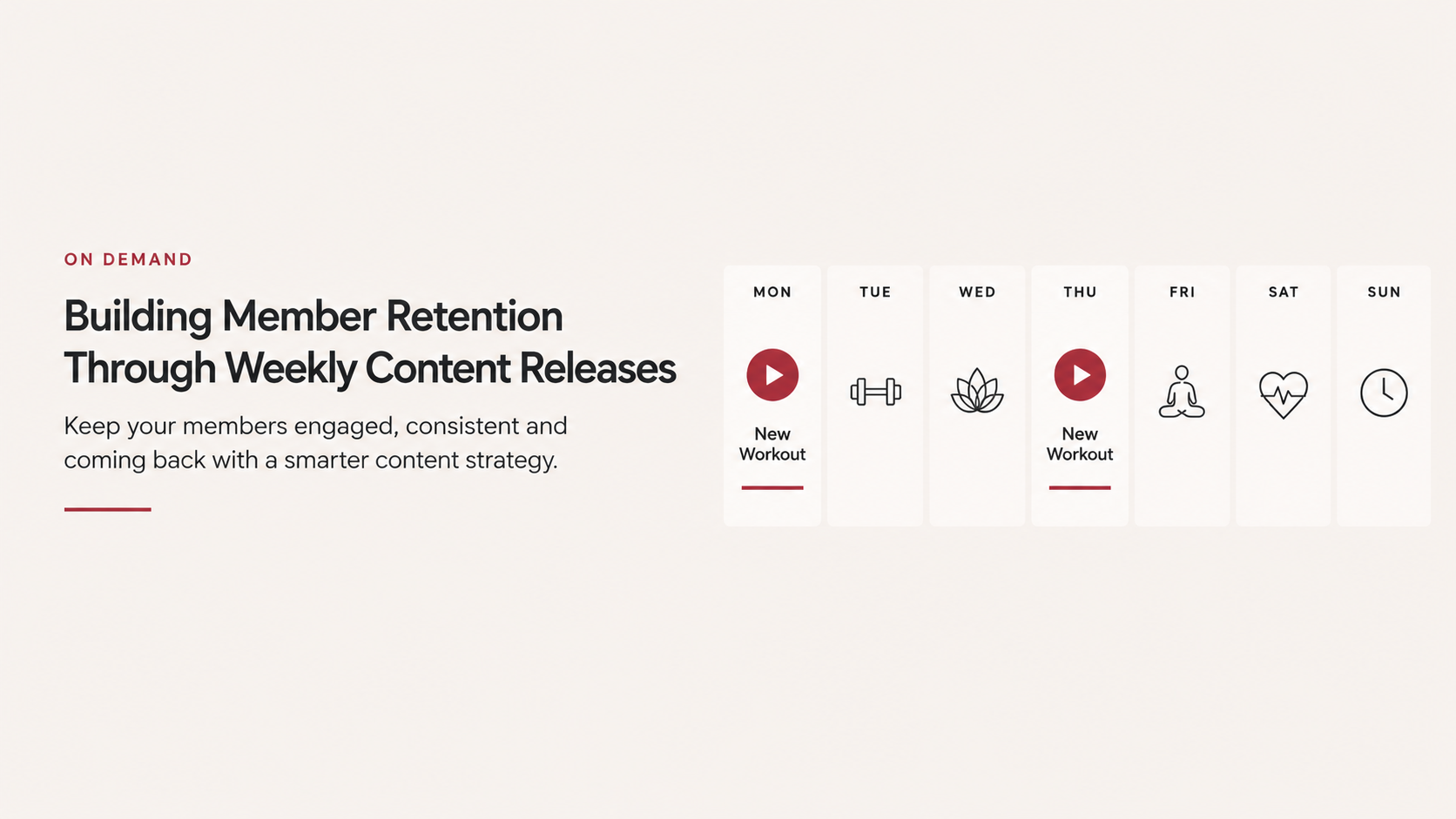
    One meaningful release each week can establish a predictable rhythm.

    For example:

    Monday: New workout
    Wednesday: Highlight the workout on social
    Friday: Feature it in member communications

    Now one piece of content generates multiple member touchpoints throughout the week.

    Over a year, one weekly release also creates more than 50 additional pieces of fitness content.

    That’s a substantial library without an unsustainable production schedule.

    Create Content Around Member Behavior

    Your releases shouldn’t be random.

    Think about when members need additional support.

    January might focus on consistency.

    Summer might feature travel-friendly workouts.

    The holidays might emphasize shorter classes.

    Recovery content could follow demanding studio challenges.

    Beginner series can support new-member acquisition periods.

    This turns on-demand from an archive into an extension of your programming strategy.

    Use Series to Build Habits

    Individual workouts are useful. Series can be even more powerful.

    Consider:

    • 7-Day Core Series
    • 4-Week Strength Program
    • Beginner Foundations
    • Mobility Week
    • Instructor Spotlight
    • 20-Minute Workout Series

    Series give members a reason to continue to the next piece of content.

    Instead of asking, “What should I take today?” the member already has a next step.

    That reduces decision fatigue while creating another opportunity for consistent engagement.

    Bring Your Instructors Beyond the Studio

    Instructor relationships are one of boutique fitness’s strongest retention advantages.

    Members develop connections with the people who coach them.

    On-demand allows those relationships to continue outside scheduled class times.

    A member traveling for work can still train with their favorite instructor. Someone who missed class can stay connected from home. A new member can become familiar with instructors before walking into their first session.

    Digital content shouldn’t replace that human connection.

    It can extend it.

    Connect Digital and In-Studio Experiences

    The most effective strategy isn’t necessarily “in-person versus digital.”

    It’s connected fitness.

    A studio challenge can include an on-demand recovery workout.

    An instructor can recommend a digital mobility session after class.

    A new member can receive a beginner collection after joining.

    A member traveling for two weeks can continue participating remotely.

    The physical studio remains the center of the community while digital content fills the gaps between visits.

    Give Members Something to Look Forward To

    Retention is ultimately about maintaining value over time.

    Weekly content releases communicate something important:

    There’s always something new happening here.

    That doesn’t require a massive production team or hundreds of videos. It requires a sustainable publishing rhythm and content that reflects what members actually need.

    With On Demand by IPSTUDIO™, boutique fitness studios can extend their member experience beyond the studio and build a digital content strategy designed for ongoing engagement.

    Don’t just build a library.

    Build a reason to come back.

  • AI Search for Fitness Studios: How Members Are Finding Studios in a New Era of Search

    AI Search for Fitness Studios: How Members Are Finding Studios in a New Era of Search

    Google isn’t the only place prospective members are asking where to work out anymore.

    For years, fitness studio search strategy was relatively straightforward.

    Someone searched Google for:

    “Pilates near me.”

    “Best cycling studio in Las Vegas.”

    “Beginner Lagree classes.”

    Studios optimized their websites and local listings to appear in those results.

    That behavior isn’t disappearing, but a new discovery experience is emerging.

    Consumers can now ask AI assistants conversational questions such as:

    “What’s a good Pilates studio near me for beginners?”

    “Find me a strength-focused fitness studio with early morning classes.”

    “What’s the difference between these three Pilates studios?”

    Instead of receiving only a page of links, users may receive a synthesized answer.

    That changes how fitness brands should think about being discovered online.

    SEO Is Expanding Beyond Traditional Search

    Traditional SEO focuses heavily on helping search engines understand and rank pages.

    AI-powered discovery adds another consideration:

    Can machines clearly understand your business?

    Your website should make basic questions easy to answer:

    • What does your studio offer?
    • Where are you located?
    • Who is it for?
    • What class types do you offer?
    • What makes the experience different?
    • Who are your instructors?
    • How does pricing work?
    • How does someone get started?

    If this information is buried inside images, vague marketing language or disconnected booking platforms, understanding your business becomes harder for both people and machines.

    Clear Content Matters More Than Clever Content

    Boutique fitness branding often relies on short lifestyle-oriented phrases.

    “Find your fire.”

    “Become your strongest self.”

    “Movement reimagined.”

    Those phrases can reinforce a brand, but they don’t necessarily explain the business.

    A strong website needs both branding and clarity.

    For example:

    Less useful:
    “Discover a better you.”

    More useful:
    “Reformer Pilates classes for all experience levels in Downtown Las Vegas.”

    The second statement immediately provides useful context.

    Your website can still have personality. Just don’t make visitors )or search systems) guess what you actually do.

    Build Strong Class and Service Pages

    A single paragraph listing every service isn’t enough for many studios.

    Dedicated pages can clearly explain individual offerings such as:

    • Reformer Pilates
    • Lagree
    • Indoor Cycling
    • Barre
    • Yoga
    • Strength Training

    Each page creates an opportunity to explain:

    • What the class is
    • Who it’s designed for
    • What someone should expect
    • Where it’s available
    • How to get started

    This is useful for traditional search, AI discovery and most importantly prospective members.

    Location Pages Become Even More Important

    Multi-location fitness brands should give each studio a meaningful digital presence.

    A strong location page can include:

    • Address
    • Neighborhood or market
    • Class offerings
    • Schedule
    • Pricing
    • Amenities
    • Instructors
    • Contact information
    • Frequently asked questions

    Useful local information helps both members and search systems understand what makes each location relevant.

    Answer Real Member Questions

    AI search is conversational.

    Your website content should increasingly reflect the questions people actually ask.

    Examples include:

    • Is Pilates good for beginners?
    • What should I bring to my first class?
    • What’s the difference between Lagree and Pilates?
    • Do I need grip socks?
    • How early should I arrive?
    • Which membership is best if I attend twice per week?
    • Can beginners take this class?

    These questions can become:

    • FAQs
    • Blog posts
    • Class-page content
    • Getting-started guides
    • Location-specific information

    You’re not writing content for robots.

    You’re documenting the knowledge prospective members genuinely need.

    Keep Your Information Consistent

    AI-powered discovery can pull signals from across the web.

    That makes consistency important.

    Studios should regularly review information across their:

    • Website
    • Google Business Profile
    • Booking platform
    • Social profiles
    • Business directories

    Location names, addresses, services and other important details should agree wherever possible.

    Conflicting information creates confusion for members and machines alike.

    Build Authority Through Useful Content

    Studios have knowledge that generic fitness websites don’t.

    Your instructors understand movement.

    Your team understands your methodology.

    Your operators understand the local community.

    Turn that expertise into useful content.

    Instead of publishing articles solely because you want to “do SEO,” answer meaningful questions related to your business and expertise.

    Over time, that creates a stronger body of information around your brand.

    Don’t Abandon Traditional SEO

    AI search does not mean studios should suddenly stop caring about Google.

    The fundamentals still matter:

    • Fast websites
    • Mobile usability
    • Local SEO
    • Helpful content
    • Clear site architecture
    • Accurate business information
    • Strong location and service pages

    In many ways, preparing for AI discovery means getting these fundamentals right rather than chasing a completely new set of tricks.

    The Fitness Website Is Becoming a Source of Truth

    The role of the studio website is evolving.

    It isn’t only somewhere to send traffic after someone discovers your brand.

    It increasingly serves as the authoritative digital representation of your business for members, traditional search engines and emerging AI discovery experiences.

    That makes clear, structured and useful website content more valuable than ever.

    Fitness studios don’t need to predict exactly how AI search will evolve.

    They need to make sure that when someone (or something) asks what their studio is, what it offers and why someone should visit, the internet has a clear answer.

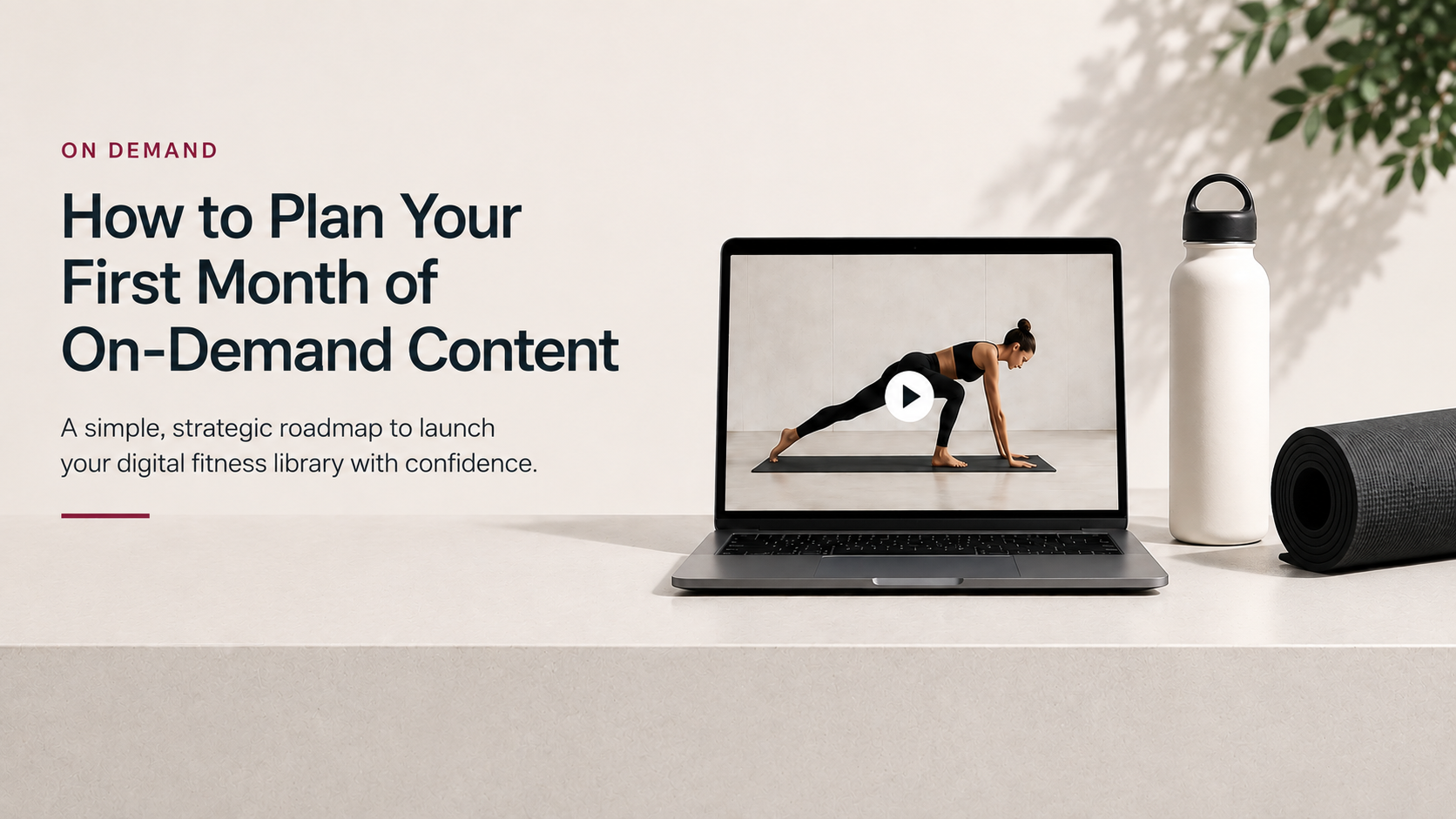
  • How to Plan Your First Month of On-Demand Content

    How to Plan Your First Month of On-Demand Content

    You don’t need hundreds of videos to launch an effective on-demand fitness experience. You need the right content, organized around how your members actually train.

    Launching an on-demand library can feel overwhelming. How many classes do you need? How long should they be? Which instructors should you feature? How often should you publish something new?

    For most boutique fitness studios, the best approach is to start focused.

    Your first month should give members enough variety to find something they want to take while establishing a sustainable rhythm for your team.

    Start With Your Members, Not Your Camera

    Before recording anything, think about why your members would use on-demand content.

    A member might want to:

    • Take a full class when they can’t make it to the studio
    • Fit a 15-minute workout into a busy day
    • Continue training while traveling
    • Add mobility or recovery to their routine
    • Revisit a favorite instructor
    • Try a class type before taking it in person

    Those use cases should shape your initial library.

    The goal isn’t simply to recreate your studio schedule online. Digital content gives you the opportunity to serve moments that your physical schedule can’t.

    Build a Balanced Starter Library

    Instead of recording 20 versions of the same workout, create variety.

    For example, an initial library might include:

    Full-length classes
    Give members an experience similar to attending the studio.

    Express workouts
    Create 10–30 minute options for busy days.

    Beginner content
    Help newer members understand movements, equipment and class formats.

    Targeted workouts
    Think core, upper body, lower body, mobility or recovery.

    Instructor variety
    Feature different personalities and teaching styles from your studio.

    A smaller, thoughtfully organized library will usually be more useful than a large collection members struggle to navigate.

    Plan Your First Four Weeks

    You don’t need to publish everything on day one.

    Consider launching with a core collection and then adding content weekly.

    Week 1: Establish the experience
    Publish several foundational workouts representing your primary class types and instructors.

    Week 2: Add convenience
    Introduce shorter workouts and content designed for busy schedules.

    Week 3: Add variety
    Release targeted workouts, specialty formats or additional instructors.

    Week 4: Give members a reason to return
    Introduce a new series, challenge or featured workout.

    Now your on-demand experience feels active rather than static.

    Create a Repeatable Production Workflow

    Consistency matters more than perfection.

    Establish a simple workflow:

    Plan → Record → Edit → Upload → Categorize → Publish → Promote

    Batching content can make this dramatically easier. Instead of setting up equipment every week, record several workouts during one production session and release them gradually.

    Your content calendar can then stay active without requiring constant filming.

    Organize Content for Discovery

    Members shouldn’t have to scroll endlessly to find a workout.

    Useful collections might include:

    • 30 Minutes or Less
    • Beginner
    • Full Body
    • Strength
    • Mobility & Recovery
    • Instructor Collections
    • Most Recent

    Think of your library like a streaming service rather than a folder of videos.

    Good organization increases the likelihood that members actually use the content you’re creating.

    Promote Every Release

    Uploading a workout doesn’t mean members will discover it.

    Use your existing channels to introduce new content:

    • Email
    • Social media
    • Website
    • Studio signage
    • Instructor announcements
    • Mobile app

    A simple weekly “New this week” message can give members another reason to interact with your brand.

    Don’t Wait for a Perfect Library

    One of the easiest mistakes is delaying launch because you don’t have enough content.

    Start with a useful foundation. Learn what members watch. Then build around actual engagement.

    Your first month isn’t about creating the final version of your on-demand library.

    It’s about establishing the habit, for both your members and your team.

    With a clear content strategy and a connected platform like On Demand by IPSTUDIO™, your digital library can become an extension of the studio experience that keeps members connected wherever they are.

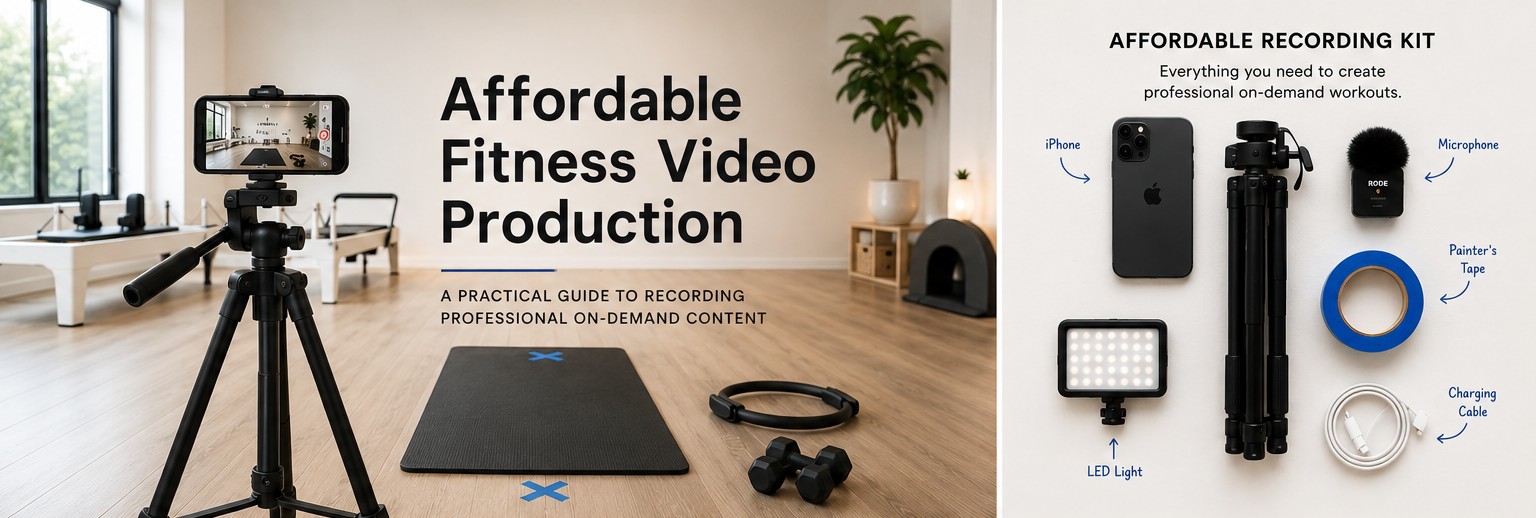
  • A Practical Guide for Recording Professional On-Demand Content

    A Practical Guide for Recording Professional On-Demand Content

    Launching an on-demand library doesn’t require a production crew, expensive cameras, or a dedicated studio. Many of the most successful boutique fitness brands create engaging content with equipment they already own by focusing on consistency instead of complexity.

    If you’re just getting started, this guide will help you build a repeatable recording process that produces professional-looking classes while keeping costs low.

    Start With the Camera You Already Own

    One of the biggest misconceptions about filming on-demand classes is that you need a DSLR or cinema camera.

    You probably don’t.

    Modern iPhones and flagship Android phones record excellent video that is more than capable of producing a polished member experience.

    A few recommendations:

    • Record in 1080p (Full HD). This provides excellent image quality while keeping file sizes manageable.
    • Use 30 FPS unless you have a specific reason to film at 60 FPS.
    • Clean the camera lens before every recording.
    • Disable notifications or use Airplane Mode so recording isn’t interrupted.
    • Make sure plenty of storage is available before class begins.

    For nearly every boutique fitness studio, 1080p is the sweet spot between quality, upload speed, editing time, and streaming performance.

    Stability Matters More Than Camera Quality

    Nothing makes a video feel amateur faster than a shaky camera.

    Invest in a sturdy tripod and leave it assembled whenever possible.

    Benefits include:

    • Consistent framing
    • Less editing
    • Professional appearance
    • Easier instructor positioning
    • Better continuity between videos

    A simple tripod is one of the highest-value purchases you can make for your recording setup.

    Mark Your Floor

    One of the easiest tricks used by production crews is also one of the cheapest.

    Use painter’s tape or discreet floor markers to identify:

    • Instructor position
    • Camera location
    • Mat placement
    • Equipment placement
    • Lighting locations

    When every recording starts in exactly the same place:

    • Videos look consistent
    • Camera framing stays identical
    • Editing becomes easier
    • Members know what to expect

    Your audience notices consistency—even if they don’t realize why.

    Build a Repeatable Recording System

    The best studios don’t reinvent the process every time they record.

    Instead, create a simple checklist.

    For example:

    Before Recording

    • Set tripod in marked position
    • Clean camera lens
    • Turn on lights
    • Check microphone
    • Enable Airplane Mode
    • Confirm battery level
    • Verify recording settings (1080p)

    During Recording

    • Begin recording before instructor enters
    • Pause briefly before speaking
    • Keep movements inside the frame
    • Smile and maintain energy throughout

    After Recording

    • Review the first minute
    • Rename the file
    • Upload immediately
    • Back up the original footage

    The fewer decisions you make each filming day, the faster you’ll build your content library.

    Keep Your Camera Position Consistent

    Avoid moving the camera around between workouts.

    Instead, establish one “hero” angle that works for your space.

    Try to keep:

    • Camera height consistent
    • Distance from instructor consistent
    • Horizon level
    • Room centered
    • Lighting unchanged

    Members quickly become familiar with your filming style, making the library feel more cohesive.

    Prioritize Great Audio

    Members will tolerate average video much longer than poor audio.

    If your budget allows for one upgrade, make it a microphone.

    Affordable options include:

    • Wireless lavalier microphones
    • Clip-on USB-C or Lightning microphones
    • Shotgun microphones for quiet studios

    Even inexpensive microphones typically produce a noticeable improvement over the phone’s built-in mic.

    Use Natural Light Whenever Possible

    Lighting dramatically affects perceived quality.

    Whenever possible:

    • Face windows instead of having windows behind you.
    • Record during consistent daylight hours.
    • Avoid harsh overhead shadows.
    • Add inexpensive LED panel lights if your room is dim.

    Good lighting often has a bigger impact than upgrading your camera.

    Keep the Background Clean

    Your workout should be the focus—not clutter.

    Before filming:

    • Remove water bottles and bags
    • Hide cleaning supplies
    • Straighten props
    • Check mirrors for unwanted reflections
    • Eliminate distracting signage

    A clean space instantly elevates production value.

    Record Multiple Classes in One Session

    Changing outfits between classes can create the appearance of multiple filming days while maximizing efficiency.

    Batch recording helps you:

    • Build your library faster
    • Reduce setup time
    • Stay consistent
    • Keep instructors in “recording mode”

    Many successful studios film an entire month’s worth of content over one or two dedicated production days.

    Don’t Chase Perfection

    Members are looking for helpful workouts—not Hollywood productions.

    Minor mistakes are usually fine if:

    • Audio is clear
    • Video is stable
    • Instruction is engaging
    • The workout is valuable

    Publishing consistently is far more important than endlessly reshooting content.

    Create Click-Worthy Video Thumbnails

    Your thumbnail is often the first thing members see before deciding to press play.

    A strong thumbnail can significantly improve engagement.

    Recommended Size

    1200 × 628 pixels

    This size works well across websites, social sharing, and most on-demand platforms.

    Thumbnail Best Practices

    Use:

    • A bright, well-lit action shot
    • The instructor clearly visible
    • Plenty of empty space for text
    • Consistent branding
    • High contrast between text and background

    Avoid:

    • Blurry screenshots
    • Tiny text
    • Overcrowded layouts
    • Multiple competing images
    • Dark or underexposed photos

    Include Helpful Information

    Keep text short and easy to scan.

    Examples:

    • Pilates Foundations
    • Upper Body Strength
    • Full Body Flow
    • Beginner Mobility
    • 20 Minute Core
    • Power Yoga

    Including duration or difficulty level can also help members quickly choose the right class.

    Examples:

    • 30 Min • Intermediate
    • 15 Min • Beginner
    • 45 Min • Advanced

    Maintain a Consistent Thumbnail Style

    Every thumbnail should feel like part of the same library.

    Try to standardize:

    • Logo placement
    • Font
    • Text size
    • Color palette
    • Image style
    • Title position

    A consistent design makes your content library feel more polished and easier to browse.

    Focus on Consistency Over Equipment

    Great on-demand libraries aren’t built by buying expensive gear—they’re built through repeatable systems.

    A smartphone, tripod, good lighting, clear audio, and a consistent production process are enough to create a professional content library that members will enjoy returning to.

    Start simple, improve over time, and focus your energy on creating valuable classes rather than chasing perfect production quality. The more streamlined your recording workflow becomes, the easier it is to keep your on-demand library fresh with new content.

  • How Website Speed Impacts Fitness Studio Conversions

    Website speed influences much more than user experience. It affects search rankings, engagement, and ultimately how many prospective members complete a booking.

    First Impressions Happen Fast

    Visitors decide within seconds whether to continue browsing. Slow-loading pages often result in higher bounce rates before users even see your offerings.

    Speed Supports SEO

    Search engines consider page performance when evaluating websites. Faster websites generally provide a better user experience, contributing to stronger search visibility.

    Optimize Images

    Large image files are one of the biggest causes of slow websites. Compress media appropriately without sacrificing quality.

    Remove Unnecessary Scripts

    Too many plugins, tracking scripts, or animations can significantly reduce performance. Regular audits help keep websites efficient.

    Monitor Performance

    Review website performance periodically using tools like PageSpeed Insights to identify opportunities for improvement.

    A fast website benefits both visitors and search engines.

  • Local SEO for Pilates, Yoga and Boutique Fitness Studios

    If someone searches for “Pilates near me” or “Yoga studio in Austin,” your website and Google Business Profile should help your studio appear among the top local results. Local SEO is one of the highest-return marketing investments for boutique fitness businesses because it connects you with people actively looking for classes nearby.

    Optimize Your Google Business Profile

    Keep your business name, address, phone number, website, hours, and photos current. Encourage members to leave reviews and respond thoughtfully to feedback. An active profile signals credibility to both Google and prospective members.

    Build Location-Focused Pages

    If you operate in multiple neighborhoods or cities, create dedicated pages for each location. Include unique descriptions, directions, amenities, instructors, and class offerings rather than duplicating content.

    Keep Information Consistent

    Ensure your business name, address, and phone number are identical across your website, Google Business Profile, and online directories. Consistency strengthens local search signals.

    Create Helpful Local Content

    Publishing articles about community events, studio updates, wellness tips, or local partnerships demonstrates relevance and keeps your website active.

    Mobile Experience Matters

    Most local searches happen on mobile devices. A fast, responsive website with clear booking actions helps convert visitors into members.

    Local SEO isn’t about gaming search engines—it’s about making it easy for nearby members to discover, trust, and choose your studio.

  • Announcing Shop by IPSTUDIO™

    Announcing Shop by IPSTUDIO™

    A modern retail experience built for Mariana Tek studios.

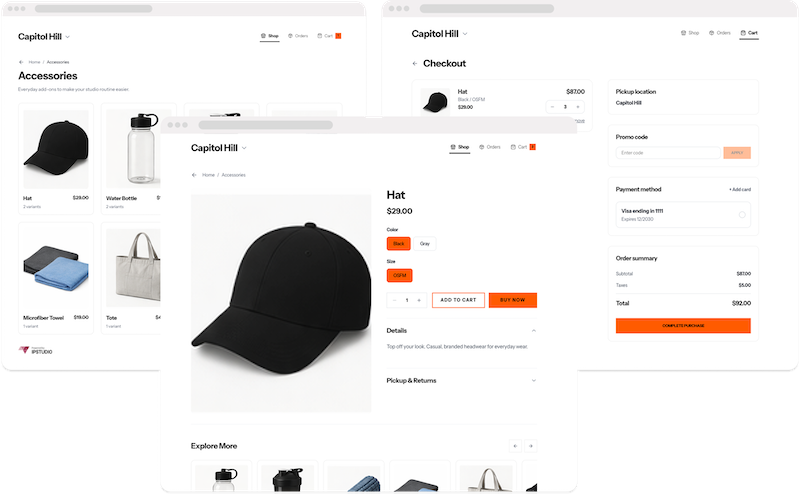
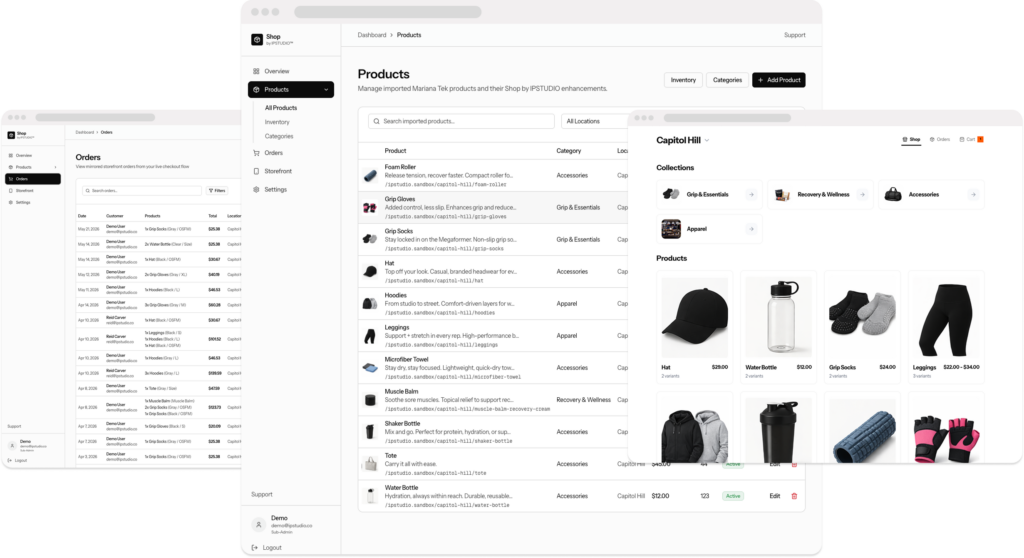
    We’re excited to introduce Shop by IPSTUDIO™, a new way for Mariana Tek studios to sell retail directly from their website.

    Shop transforms your existing Mariana Tek retail catalog into a modern, branded online storefront allowing members to browse products, purchase online, and pick up in studio, all while products, pricing, and inventory continue to be managed in Mariana Tek.

    Built for the Boutique Fitness Industry

    Retail is an important part of the studio experience, but many studios rely solely on in-studio purchases or maintain a separate ecommerce platform that requires duplicate product management.

    Shop by IPSTUDIO™ eliminates that friction by connecting your Mariana Tek retail catalog to a branded web storefront. Instead of maintaining inventory in multiple systems, your team continues managing products in Mariana Tek while your website stays in sync.

    The result is a faster, more seamless shopping experience for both staff and members.

    Key Features

    • Mariana Tek Product Sync
      Products, pricing, inventory, and availability remain managed in Mariana Tek.
    • Branded Storefront
      Deliver a shopping experience that matches your website and studio brand.
    • Mobile-First Design
      Members can browse and purchase retail from any device.
    • Online Checkout with In-Studio Pickup
      Encourage additional retail sales while keeping fulfillment simple.
    • Integrated with IPSTUDIO Fitness Websites™
      Designed to work seamlessly with our managed website platform while also supporting existing websites.

    Designed Around the Member Experience

    Members already visit your website to book classes, purchase memberships, and manage their accounts. Shop extends that experience by making retail available wherever your members are before class, after class, or from home.

    Instead of asking members to purchase only while they’re physically in the studio, Shop keeps your retail collection available 24/7 through your website.

    Continuing to Build for the Mariana Tek Community

    For years, IPSTUDIO has focused on building products specifically for the boutique fitness industry and deep experience with the Mariana Tek ecosystem.

    From IPSTUDIO Fitness Websites™ and Sponsored Web Integrations to On Demand by IPSTUDIO™, Live by IPSTUDIO™, Gamification, and Ads Engine, our goal has remained the same: create connected digital experiences that help studios grow.

    Shop by IPSTUDIO™ is the newest addition to that ecosystem.

    Get Started

    Shop by IPSTUDIO™ is available today for Mariana Tek studios.

    To learn more or schedule a demo, visit https://ipstudio.co/products/shop.

  • Why Fitness Studio Websites Should Be Mobile-First

    Most prospective members won’t experience your fitness studio for the first time in person. They’ll experience it on their phone.

    Whether someone discovers your studio through Google, Instagram, a friend’s text message, or a local search, the first impression almost always happens on a mobile device. If your website isn’t built with mobile users in mind, you’re likely losing members before they ever book their first class.

    A mobile-friendly website is no longer a “nice-to-have.” It’s one of the most important investments a fitness studio can make for marketing, member experience, and long-term growth. Most boutique fitness traffic now comes from mobile devices, making mobile-first design essential rather than optional. (IPSTUDIO)

    What Does “Mobile-First” Actually Mean?

    Many websites are designed for desktop computers first and then squeezed down to fit smaller screens.

    Mobile-first design flips that process.

    Instead of asking, “How does this website look on a phone?”, you ask:

    • Can someone book a class with one hand?
    • Is pricing immediately visible?
    • Can someone find your schedule in under five seconds?
    • Are buttons large enough to tap?
    • Does every page load quickly on cellular data?

    Every design decision starts with the mobile experience because that’s where most visitors begin their journey.

    Your Website Is Your Front Desk

    Imagine walking into a beautiful studio where nobody greets you, the schedule is hidden, pricing is confusing, and it takes five minutes before someone helps you.

    Most people would leave.

    The same thing happens online.

    Your website acts as your digital front desk. It should immediately answer the questions every prospective member has:

    • What classes do you offer?
    • Where are you located?
    • How much does it cost?
    • How do I book?
    • Why should I choose your studio?

    If visitors have to pinch, zoom, or hunt for information on their phone, many simply return to Google and visit the next studio.

    Mobile Speed Directly Impacts Conversions

    Every extra second your website takes to load increases the chance that a visitor leaves before seeing what you offer. Fast websites don’t just feel better—they improve conversion rates, user satisfaction, and search visibility. (Zen Planner)

    For fitness studios, speed matters because many visitors are:

    • Walking between meetings
    • Sitting in their car before work
    • Comparing multiple studios
    • Looking for tonight’s class

    They aren’t waiting ten seconds for a homepage animation to finish.

    They’re moving on.

    Mobile Experience Affects Google Rankings

    Google primarily evaluates websites using their mobile version when determining search rankings. That means a poor mobile experience can reduce your visibility in local search results. (Zen Planner)

    If two Pilates studios offer similar classes, the one with the faster, better mobile experience often has an advantage in search.

    Mobile optimization helps improve:

    • Local SEO
    • User engagement
    • Bounce rate
    • Time on site
    • Organic traffic

    Those improvements compound over time.

    Keep the Booking Journey Simple

    One of the biggest mistakes fitness studios make is creating unnecessary friction.

    A visitor should be able to go from discovering your studio to booking their first class in just a few taps.

    That means:

    • Clear “Book Now” buttons
    • Mobile-friendly schedules
    • Simple pricing pages
    • Easy-to-complete forms
    • Integrated booking experiences

    Every additional click creates another opportunity for someone to abandon the process.

    Thumb-Friendly Navigation Matters

    Designing for mobile isn’t just about shrinking content.

    People interact with phones differently than computers.

    Good mobile navigation uses:

    • Large tap targets
    • Sticky navigation where appropriate
    • Clear calls to action
    • Short paragraphs
    • Readable font sizes
    • Plenty of spacing

    The easier your website is to use, the more likely visitors are to become members.

    Mobile-First Doesn’t Mean Mobile-Only

    Desktop users still matter.

    Many prospective members will research your studio from work or compare membership options on a larger screen.

    The goal isn’t to ignore desktop.

    The goal is to ensure your website performs exceptionally well on every device by designing for the smallest screen first and expanding from there.

    Signs Your Website Isn’t Mobile-First

    If any of these sound familiar, it may be time to revisit your website:

    • Text is difficult to read without zooming
    • Buttons are too small to tap comfortably
    • Booking requires multiple redirects
    • Images load slowly
    • Navigation feels cluttered
    • Important information sits below large banners
    • Google Search Console reports mobile usability issues

    Small usability problems often translate into lost bookings.

    Mobile-First Is Good Business

    A great fitness website doesn’t exist to win design awards.

    It exists to help people discover your brand, trust your studio, and book their first class.

    When your website is fast, easy to navigate, and designed around the way people actually browse today, everything improves:

    • More organic traffic
    • Better Google visibility
    • Higher booking conversion rates
    • Lower bounce rates
    • A stronger first impression
    • A better overall member experience

    As member expectations continue to rise, the studios investing in mobile-first websites today will be better positioned to grow tomorrow. Modern fitness websites are increasingly viewed as connected member experiences rather than static marketing sites. (IPSTUDIO)

  • How Boutique Fitness Studios Can Use AI to Improve Marketing, Retention and Member Experience

    AI is no longer just a copywriting tool, it’s becoming part of the modern fitness operating system.

    Over the past few years, AI tools like ChatGPT have dramatically changed how businesses create content, communicate with customers and streamline operations.

    But in boutique fitness, the opportunity goes far beyond generating social captions or writing newsletters.

    Studios are beginning to use AI to:

    • Improve website conversion
    • Speed up marketing workflows
    • Personalize member communication
    • Support retention initiatives
    • Generate SEO content
    • Build stronger digital member experiences

    The studios that learn how to integrate AI effectively into their workflows will likely operate faster, communicate better and scale more efficiently than those who don’t.

    AI Should Support Your Brand, Not Replace It

    One of the biggest misconceptions about AI is that it should completely replace human creativity.

    In reality, the best results happen when AI supports:

    • Brand strategy
    • Operator knowledge
    • Instructor expertise
    • Community voice
    • Marketing execution

    AI works best as a multiplier.

    Studios still need:

    • Strong branding
    • Clear positioning
    • Authentic messaging
    • Quality experiences
    • Human connection

    The goal is not robotic content.

    The goal is operational leverage.

    Using AI for Website Content

    Most studio websites struggle because the messaging is:

    • Generic
    • Unclear
    • Overwritten
    • Inconsistent
    • Not conversion-focused

    AI can help studios create:

    • Homepage copy
    • SEO landing pages
    • Location pages
    • Membership descriptions
    • FAQ sections
    • Blog posts
    • Calls to action

    The key is giving AI the right context.

    Instead of asking:

    “Write me a fitness homepage.”

    Better prompts include:

    • Your target demographic
    • Training style
    • Studio personality
    • Market positioning
    • Desired conversion goal

    The more specific the context, the stronger the output.

    AI + SEO Is Becoming a Major Advantage

    Content velocity matters more than ever.

    Studios consistently publishing useful content around:

    • Fitness education
    • Studio updates
    • Local SEO
    • Wellness insights
    • Beginner guides
    • Instructor expertise

    often build stronger long-term search visibility.

    AI can help studios:

    • Generate article structures
    • Expand newsletters into blogs
    • Create SEO-focused metadata
    • Identify keyword opportunities
    • Repurpose existing content

    This allows smaller teams to maintain more consistent content output without dramatically increasing workload.

    Improving Member Communication

    Studios spend enormous amounts of time answering repetitive questions.

    AI can help streamline communication around:

    • First visit expectations
    • Membership information
    • Studio policies
    • Waitlist workflows
    • Intro offers
    • Email sequences
    • Retention messaging

    This creates:

    • Faster response times
    • More consistent communication
    • Better member experiences

    The strongest operators are increasingly combining automation with personalization.

    AI Will Not Replace Community

    Boutique fitness has always been relationship-driven.

    Community, coaching and accountability remain irreplaceable.

    What AI can do is reduce operational friction so teams can spend more time focused on:

    • Coaching
    • Member relationships
    • Experience quality
    • Retention
    • Growth

    The future of fitness is not less human.

    It’s better supported humans operating more efficiently.

    Where We See the Industry Going

    Over the next few years, AI will likely become embedded throughout the fitness ecosystem:

    • Websites
    • Marketing systems
    • Member communication
    • Content creation
    • Search experiences
    • Retention workflows
    • Digital products

    Studios that embrace these tools early will have a significant operational advantage.

    The winners will not necessarily be the studios using the most AI.

    They’ll be the studios using AI most intentionally.

    Final Thoughts

    AI is rapidly becoming one of the most important operational tools available to boutique fitness brands.

    Used correctly, it can help studios:

    • Move faster
    • Communicate better
    • Improve SEO
    • Create stronger digital experiences
    • Scale marketing efforts more efficiently

    But the studios that stand out will still be the ones with:

    • Strong brands
    • Clear positioning
    • Great instructors
    • Consistent experiences
    • Real community

    AI amplifies what already exists.

    The best fitness brands will use it to strengthen the member experience, not replace it.